One standard form for each procedure

Standardize the form. Get the register.

Set up each procedure's form once, on your own layout and logo. Every form sent is a row in that procedure's register, and every field on the form is a column.

  • One form for each procedure. The same fields and choices every time, on your own layout and logo.
  • Every form a row, every field a column. The register of that procedure, in the app.
  • Sent as a submittal. The form's details carry into the review, checked before it is sent.

See the registers

DForms demo video, with captions: a design submission sent on the project's standard form becomes a row in the Design Submission register
Priya's design submission becomes row DS-012; then a change order request, a substitution request and a pay application land in their own registers. Muted, with captions; Sound on for quiet guitar.

One form for each procedure. Everyone fills it the same way. Sign it and send it. Every form a row. Every field a column. Any procedure. Its own register.

Every form a row. Every field a column.

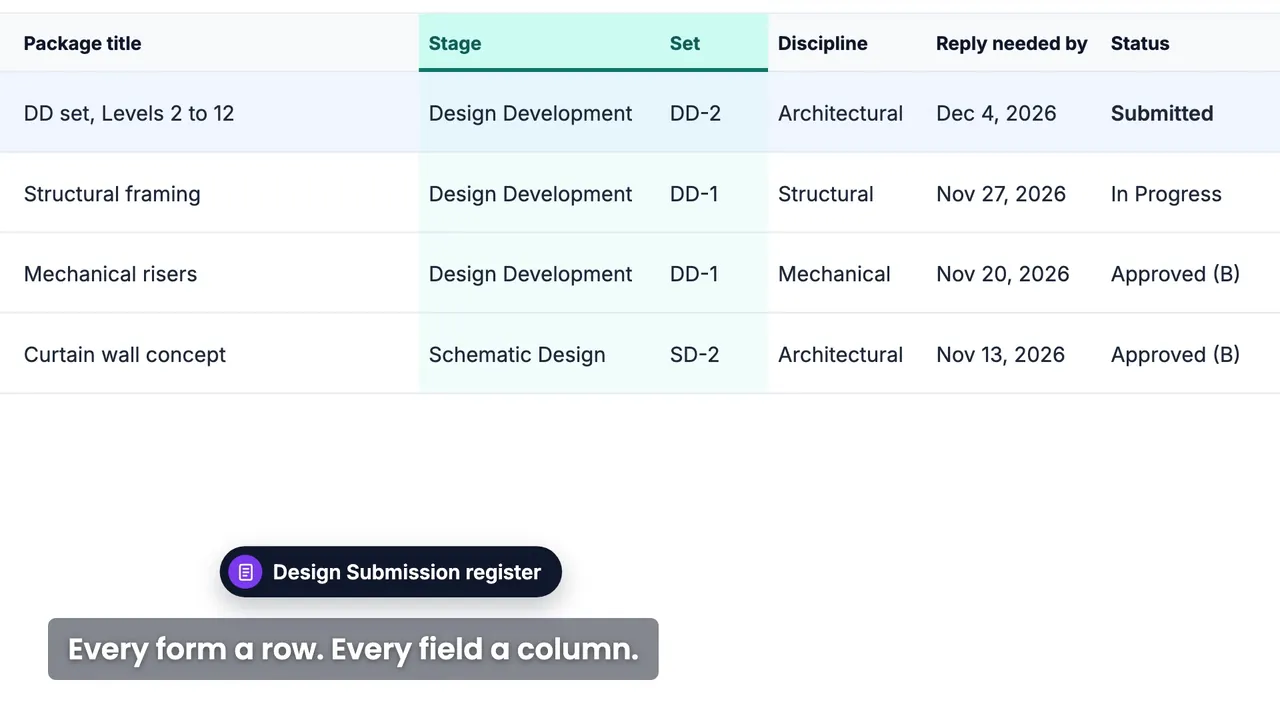
Priya, the architect, sends the Design Development set on the project's standard Design Submission form. It goes out as a submittal, and it is a new row in the Design Submission register, where the team sees every submission by stage and set.

Each procedure with its own form has its own register, and it opens in the app.

Every design submission by stage and set: Schematic Design, Design Development, Construction Documents.

Each register follows the fields of its form. Illustration with demo data.

Set up once

One standard form, on your own layout

Upload the PDF your firm already uses and AI help (Detect Fields) finds the boxes on it. Your logo, layout and wording stay as they are, and everyone who sends it fills in the same form.

One standard form for each procedure: the same fields, and the same choices in its drop-down lists, every time it is filled.

Forms your project already runs on

Each firm brings its own forms. A substitution request, the site meeting minutes (OAC meeting minutes), a work plan: each keeps its layout and logo, goes for review the same way, and has its own register.

  • Substitution request

  • Inspection request

  • Site meeting minutes

  • Submittal transmittal

  • Pre-installation checklist

  • Work plan

Forms are set up by your administrator, or at onboarding. Illustration with made-up forms and demo data.

Fill your own form. It becomes the submittal.

1When you send it

The form becomes the submittal

The title, the assignee and the due date come from the form, each labelled with the field it came from. Check them, complete the rest, and send: the filled form goes along as a PDF, and the form is a row in its register.

2After the decision

Stamped on your form

Where the template has a QR box, the approval stamp lands in it. If the form comes back for revision, it is filled again as its next revision.

From form to register

Every form sent is a row in the register of its template; every field on the form is a column.

One standard form for each procedure, and a register for each form. Illustration with demo data.

Everyday questions, answered on the record

What is a DForm register?

The list of every form sent from one template. Each form sent is a row and each field on the form is a column, so a design submission form with Stage and Set fields gives a register by stage and set. It opens in the app.

Can we keep our own form as it is?

Yes. The PDF you use today becomes the template: your logo, layout and wording stay.

Can I finish it tomorrow?

Yes. The form saves itself as a draft, and your drafts wait in your list.

Who receives it when I send it?

The assignee and the distribution list. The distribution can come pre-filled from the form's template, and you can add any project member.

What happens after I send it?

It becomes a submittal, with the filled form attached, and a row in the form's register. It is reviewed like any other submittal. How submittals are reviewed →

What if it comes back for revision?

You fill the same form again as its next revision.

Also included: Preview PDF · signature saved as your default · every field change on the record · a Private box, where the template maps one · search and favorites in the form picker.

See a form become a row in its register

Other features

9 features are included in 1 platform - easy access, easy manage your projects.