Each firm keeps its own daily report
Friday on Level 8: Sam fills in his firm's daily report on the phone. Each firm on the project keeps one daily report of its own and updates it as the work goes.
One email goes to the project for each send, with a link for each firm that filed and a note for any firm that did not.
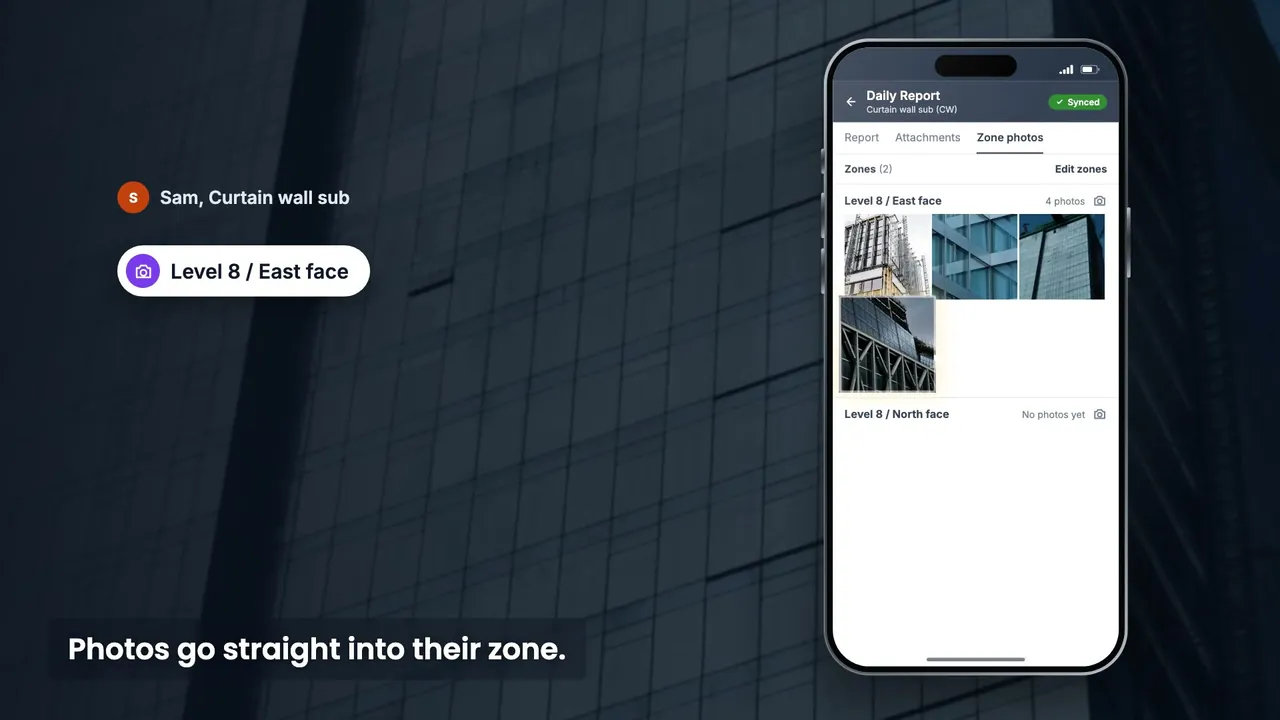
Sam fills in his firm's daily report on site. Photos go straight into their zone. Figures and photos wait on the phone. Back in signal, it syncs. Syncing sends nothing. Each firm keeps its own report. One email to the project, a link for each firm that filed. Each firm's PDF, dated, kept indefinitely. The day on site, firm by firm, zone by zone.
Friday on Level 8: Sam fills in his firm's daily report on the phone. Each firm on the project keeps one daily report of its own and updates it as the work goes.
He photographs each Level 8 zone with that zone's own camera button. Each zone on the report has its own camera button on the phone. The PDF prints the photos zone by zone, under each zone's name.
Inside the core the signal drops; the report and photos wait on the phone and sync when he is back in signal. Syncing sends no report: the send takes what has reached the project, and a change still waiting on the phone goes with the next send after it syncs.
Jordan's and Luis's firms keep their own reports the same day. With project-wide reach (the project manager and construction manager roles by default), the roster shows, firm by firm, when each report was last updated and when it was marked complete.
Zones come from the project's shared location tree, so every firm files under the same zone names.
Photos go straight into their zone.On the phone, each zone has its own camera button: shoot a burst, drop the frames you do not want, and file the rest into that zone in one go.
Photos filed zone by zone.Set the order of zones and of photos in each zone; the PDF prints them in that order.
One email to the project, a link for each firm that filed.At the send time, each firm's report becomes its own PDF, plus one combined file for all firms.
At the send time, one email reaches Jordan and Dana, with a link for each firm that filed.
Every send files each firm's PDF, dated, in a read-only archive. The files are kept indefinitely. In the archive, Dana finds each firm's dated PDF of Nov 20, with the combined file.
Yes. Each firm on the project keeps one report of its own and updates it as the work goes; each send turns it into that firm's PDF.
By zone. Each photo is filed into the zone you choose, and the PDF prints the zones in the order you set, each under its own name.
Saved figures, photos and PDFs wait on the phone and sync on their own when the signal is back. A change still waiting at the send time goes with the next send after it syncs.
Marking complete stamps when it was marked, and on the phone who marked it. Only the scheduled send compiles the PDFs and emails the project.
In the Reports archive: every PDF a send produced, by date and firm, kept indefinitely.
The To and CC people set on the send, including people outside the project. One email per send, with a link for each firm that filed and a note for any firm that did not.
Filling in, zone photos and marking complete work on the web and the phone; zones and the send are set up on the web.
Start your project and fill in the first report yourself, or book a 20-minute demo and we will set it up on your project with you.
What owners, consultants, contractors and trades ask us most, answered in a line or two.
The Daily Report guide walks through every step, or we can show it on your project.
Each firm keeps one report that it updates; each send files a dated PDF of it. Past sends are in the archive, by date.
On the phone it stays open for edits, and marking it again moves the stamp to the newer time and name. What went out is the PDF in the archive.
Sent PDFs stay in the archive; daily reports have no delete. A firm's report can be switched off, which hides it.
Each firm reads its own by default; the project manager and construction manager roles read every firm's, and the combined file.
The report has no weather field or reporting date; manpower and equipment are one figure each, with a remark; delays, visitors and inspections are not separate fields.